
Our Verdict
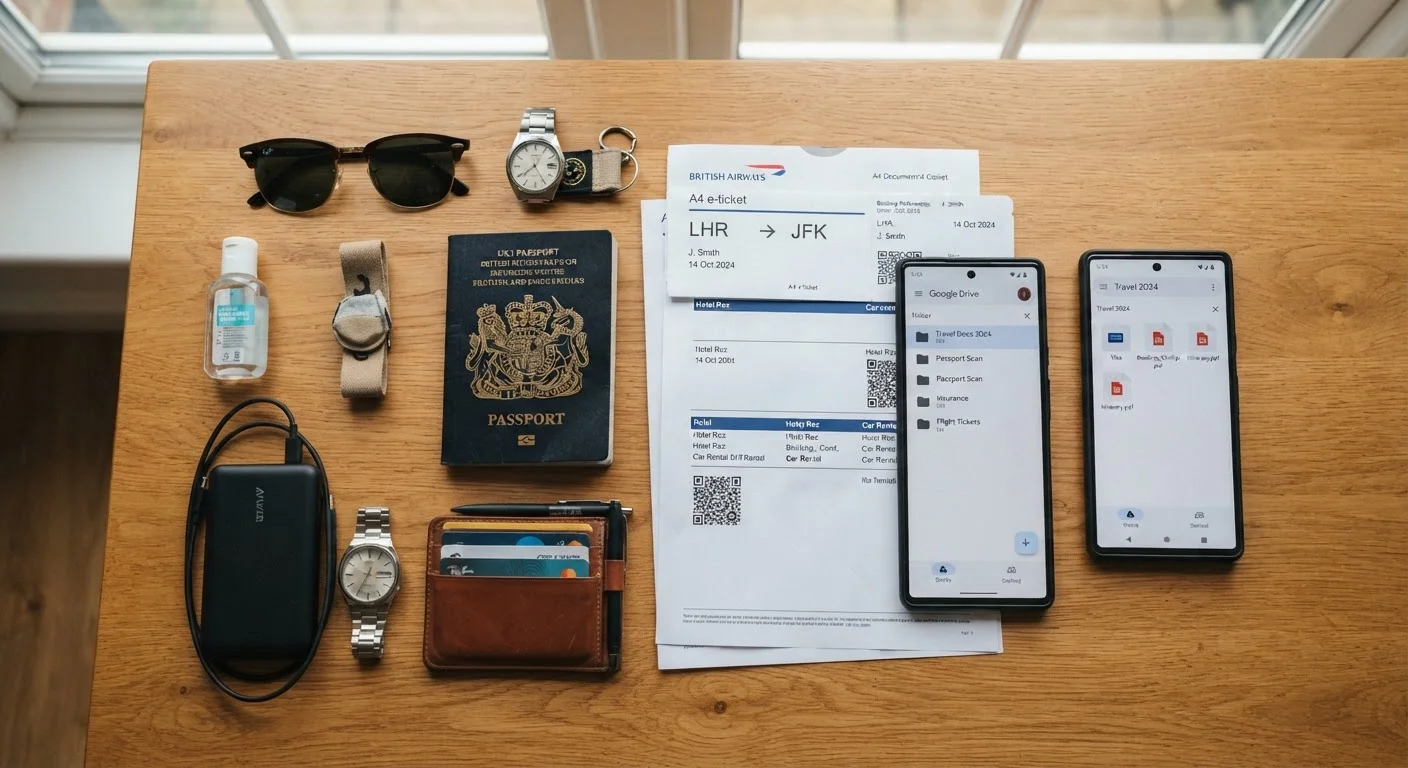
Neither digital nor physical document copies are foolproof on their own. Digital copies shine when you need quick, remote access and have reliable internet, while physical copies serve as a dependable backup when technology fails. A layered approach — secure cloud storage combined with one set of paper copies kept separately from your originals — gives you the strongest safety net while traveling.
Any traveler, from first-timers to frequent flyers, who wants a reliable backup system in case documents are lost, stolen, or damaged abroad.
Why Document Backups Matter Before You Leave
Losing your passport or other critical travel documents abroad is one of the most stressful situations a traveler can face. Having a backup copy — whether digital or physical — can significantly speed up the replacement process at a U.S. embassy or consulate. It helps officials confirm your identity and record, potentially cutting days off what can otherwise be a lengthy ordeal.
There are two main approaches travelers use: storing scanned copies digitally (in the cloud or on a device) and keeping printed paper copies in a separate location from the originals. Each method has genuine strengths and real limitations. Understanding both helps you build a smarter system — and part of that system should start well before departure. See our pre-trip safety planning guide for a broader framework to work from.
Documents worth backing up include your passport photo page, visa approvals, travel insurance cards, prescriptions (for any medication you're carrying), and emergency contact information. If you're carrying medication across borders, note that documentation requirements can be specific — our article on medication documentation across borders covers what to prepare.
The Case for Digital Copies
Accessible from any internet-connected device worldwide
Cloud-stored copies can be retrieved from a hotel computer or embassy if your phone and bag are both gone. This remote access is the single biggest advantage over physical copies.
Multiple copies at virtually no ongoing cost
Once uploaded, digital copies can be shared with a trusted contact at home — a practical backup that costs nothing extra.
Difficult to physically destroy
Unlike paper, cloud copies survive floods, fires, and accidents that could destroy every physical item you're carrying.
Easy to keep updated
When you renew your passport or receive a new visa, updating a digital copy takes minutes and replaces outdated information immediately.
Digital copies stored in a secure, encrypted cloud service — such as a password-protected folder in your provider of choice — are accessible from almost any internet-connected device worldwide. If your bag is stolen or your phone breaks, you can still retrieve copies from a hotel business center or embassy computer. This flexibility is a real advantage in genuine emergencies.
That said, digital storage introduces its own risks. Accessing sensitive documents on public or shared devices can expose your data; our guide on protecting personal information on shared devices outlines habits that reduce that risk. Additionally, digital copies are generally not accepted as legal substitutes for original documents at border crossings — they serve primarily as a reference tool to assist with replacement, not as proof of identity for entry.
~50,000
U.S. passports reported lost or stolen annually abroad
The U.S. Department of State processes tens of thousands of emergency passport cases each year, underscoring why backup documentation matters.
2–3 days
Typical emergency passport processing time at a U.S. embassy
Having a copy of your original passport on hand can help speed verification, though processing times vary by location and demand.
The Case for Physical Copies
Requires internet access and a working device
Rural areas, certain countries, or a dead phone battery can cut off access entirely when you need it most. Offline storage on a device helps but still requires the device to function.
Security risks if storage is not properly protected
Copies stored in an unsecured email draft or an unencrypted folder are vulnerable to account breaches. Without a strong password and two-factor authentication, digital copies can be a liability.
Not accepted as legal identification at borders
A digital scan of your passport does not grant entry to any country — its value is limited to helping authorities verify your identity during a replacement process.
Risk of data exposure on shared devices
Logging into cloud accounts on hotel or library computers carries real risk of credential theft if those devices have malware or retain browser sessions.
A printed copy of your passport's photo page, kept in a different bag or piece of luggage from your original passport, costs nothing beyond a few cents at a copy shop. It requires no internet, no battery, and no password — it simply exists when you need it. Hotel front desks and many local authorities in popular tourist destinations are familiar with paper copies as a reference document.
The downsides are equally straightforward: paper can be lost, soaked, or stolen alongside your other belongings if you're not deliberate about separation. And like digital copies, a paper photocopy is not a legal travel document — it does not let you board a plane or cross a border in place of your actual passport. If you do lose your passport, our step-by-step guide on recovering a lost passport abroad walks through the full process.
Building a Layered Backup Strategy
Travel safety professionals and the U.S. Department of State generally recommend a combined approach: one set of paper copies stored separately from your originals, plus secure digital copies stored in the cloud. This redundancy means a single point of failure — a stolen bag, a dead phone, a lost wallet — doesn't leave you entirely without options.
Copies Are a Reference Tool, Not a Replacement
Neither a digital scan nor a paper photocopy of your passport is a legally valid travel document. Authorities may use them to help verify your identity during a replacement process, but they will not allow you to board an international flight or clear customs. Always keep your original documents secure and accessible separately from your backup copies.
When organizing your digital copies, treat them like any other sensitive file. For practical guidance on managing files securely across devices, our article on organizing your digital life offers useful habits that translate well to travel prep.
Finally, remember that document copies assist with replacement — they don't replace the need for valid originals. Always confirm what documents your destination actually requires well before departure. Our guide on understanding entry requirements explains how to verify this through official sources.
The content on this site is for informational purposes only and is not a substitute for professional advice. Always consult a qualified professional for guidance specific to your situation.