

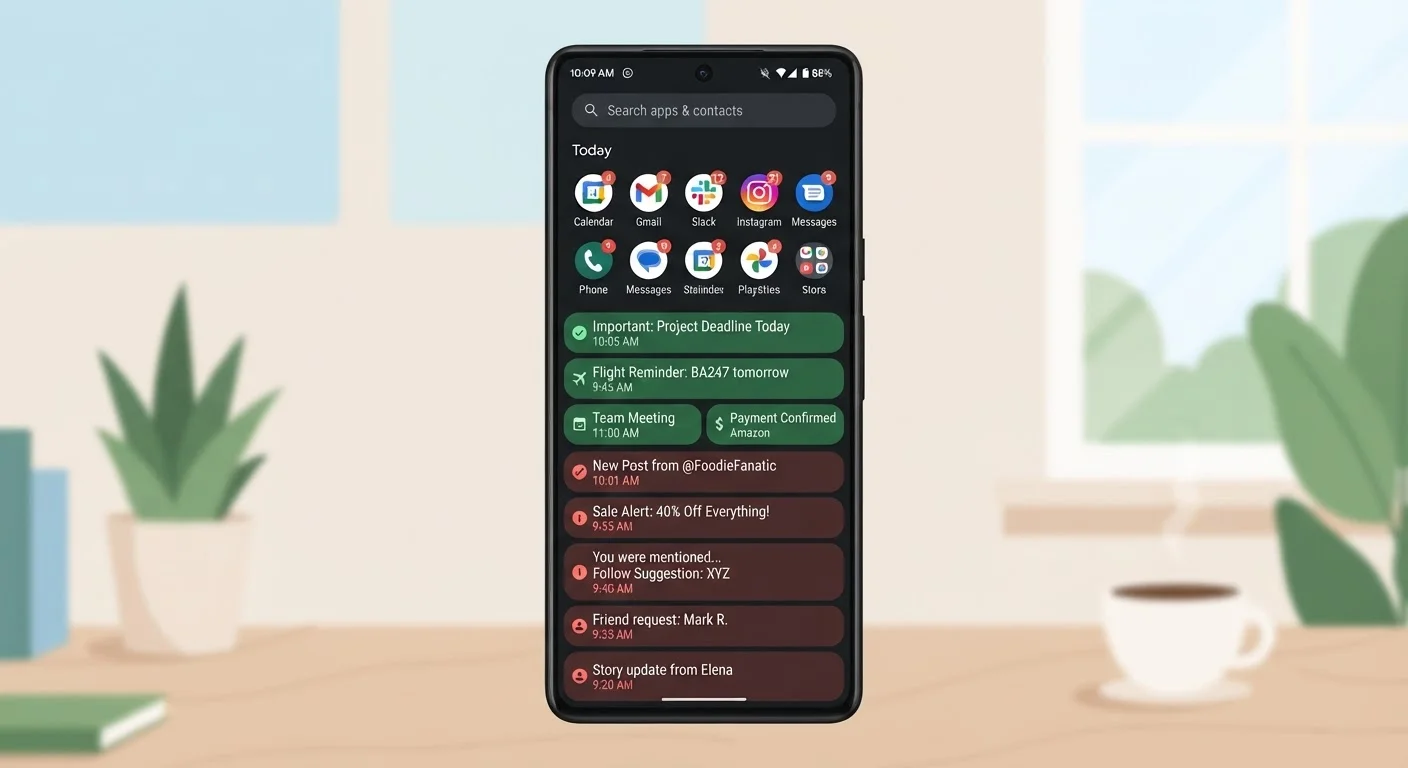
Our Verdict
Helpful notifications share a common trait: they deliver information you need when you need it, and they require or invite a clear response. Disruptive notifications, by contrast, interrupt without adding timely value. The distinction isn't always obvious at first, but once you apply a simple filter - is this time-sensitive, actionable, or safety-related? - the noise becomes much easier to mute.
| Best for | Recommended |
|---|---|
| Staying reachable for urgent personal or work matters | Curated alerts from calls, texts, and calendar apps |
| Protecting focused work or study time | Scheduled Focus or Do Not Disturb modes |
| Reducing evening screen anxiety and improving sleep | Turning off non-essential notifications after a set hour |
| Managing app clutter without deleting apps | Per-app notification settings in your phone's system menu |
What Makes a Notification Actually Useful
A notification earns its place if it passes at least one of three tests: it is time-sensitive (the information loses value if you see it later), actionable (you can or should do something right now), or safety-relevant (missing it could cause harm or a significant problem).
Examples that typically pass the test:
- A two-factor authentication (2FA) code needed to log in - it expires in seconds.
- A calendar reminder for a meeting starting in ten minutes.
- A fraud alert from your bank about an unrecognized charge.
- A severe weather warning for your area.
- A direct message from a family member or colleague you're actively expecting.
Notice what these have in common: they are specific, prompt a clear response, and their value is tied to the moment they arrive. If you could check them an hour later without any real consequence, they probably don't meet the bar.
Notifications That Are Almost Always Just Noise
The majority of notifications most people receive fall into a different category: marketing, engagement prompts, and status updates that benefit the app, not the user.
| Helpful Notification | Interruptive Notification | |
|---|---|---|
| Time-sensitivity | High - value drops quickly | Low - relevant any time or never |
| Actionability | Clear action required or available | No clear response needed |
| Who benefits | The user | The app or advertiser |
| Examples | 2FA code, calendar alert, fraud warning | Like count, re-engagement prompt, sale offer |
| Impact on focus | Minimal when well-timed | Cumulative erosion of attention |
| Recommended setting | Banner + sound, or lock screen | Off, or silent badge only |
Common examples of low-value notifications include:
- "Someone liked your post" - social media engagement alerts that don't require any action.
- App update available - useful to know eventually, but rarely urgent. You can check this on your own schedule. For guidance on timing updates, see when to install software updates.
- "You haven't opened this app in a while" - a re-engagement tactic designed to pull you back in.
- Promotional offers and sale alerts - advertising delivered through your notification tray.
- News headlines every hour - unless you're a journalist on deadline, a scheduled check serves this better.
None of these are inherently harmful, but each one trains your brain to respond to interruption. Over time, that pattern chips away at your ability to sustain focus.
How to Audit and Reset Your Notification Settings
Both iOS and Android let you review and adjust notifications on a per-app basis - and doing so once can produce lasting results. Here's a straightforward approach:
- Open your phone's settings and navigate to Notifications. You'll see a list of every app that has ever requested permission to send alerts.
- Sort by "most recent" or "most delivered" if the option exists. This surfaces the noisiest offenders.
- For each app, ask the three-part test: Is what this app sends me time-sensitive, actionable, or safety-relevant? If not, turn off notifications entirely or switch to "silent" delivery (badge only, no banner or sound).
- Enable Focus or Do Not Disturb schedules. Most phones allow you to define hours during which only calls from starred contacts or repeat callers get through. Everything else waits.
This kind of digital organization doesn't require any new apps - just a few minutes in the settings you already have.
It's also worth reviewing which apps have notification permission at all. Some request it without a clear reason. Understanding what app permissions mean can help you decide which to allow.
Notifications at Night: A Specific Problem Worth Addressing
Evening and overnight notifications deserve separate attention. Even if your phone is face-down, incoming alerts can disrupt sleep through sound, vibration, or the ambient glow of a screen. Research into sleep disruption consistently points to late-night device interaction as a factor in reduced sleep quality - something explored in more depth in this look at overlooked things that disrupt sleep.
A practical approach:
- Set a hard cutoff time - say, 9 or 10 p.m. - after which non-essential notifications are silenced automatically.
- Allow calls from close contacts to pass through if you need to stay reachable for emergencies.
- Charge your phone outside the bedroom if overnight alerts are a persistent issue.
The goal isn't to be unreachable - it's to make sure that when you are interrupted, it's because something genuinely warrants it.
Applying This at Work
Workplace notifications add another layer of complexity. Messaging platforms, email, project tools, and video call apps all compete for your attention throughout the day. The challenge is that many of these genuinely are time-sensitive - but not all of them, and not all the time.
A useful frame here is the difference between synchronous and asynchronous communication: some messages need an immediate reply, others can wait. Understanding that distinction helps you decide which notification channels to keep open during focused work and which to batch-check at set times.
Practical defaults that work for many people:
- Keep direct messages and calendar alerts active during work hours.
- Mute group chats or channel notifications and check them at defined intervals.
- Turn off email pop-ups and check your inbox on a schedule rather than reactively.
Fewer interruptions during focused work doesn't mean being less responsive - it usually means being more thoughtfully responsive when it counts.
The content on this site is for informational purposes only and is not a substitute for professional advice. Always consult a qualified professional for guidance specific to your situation.