

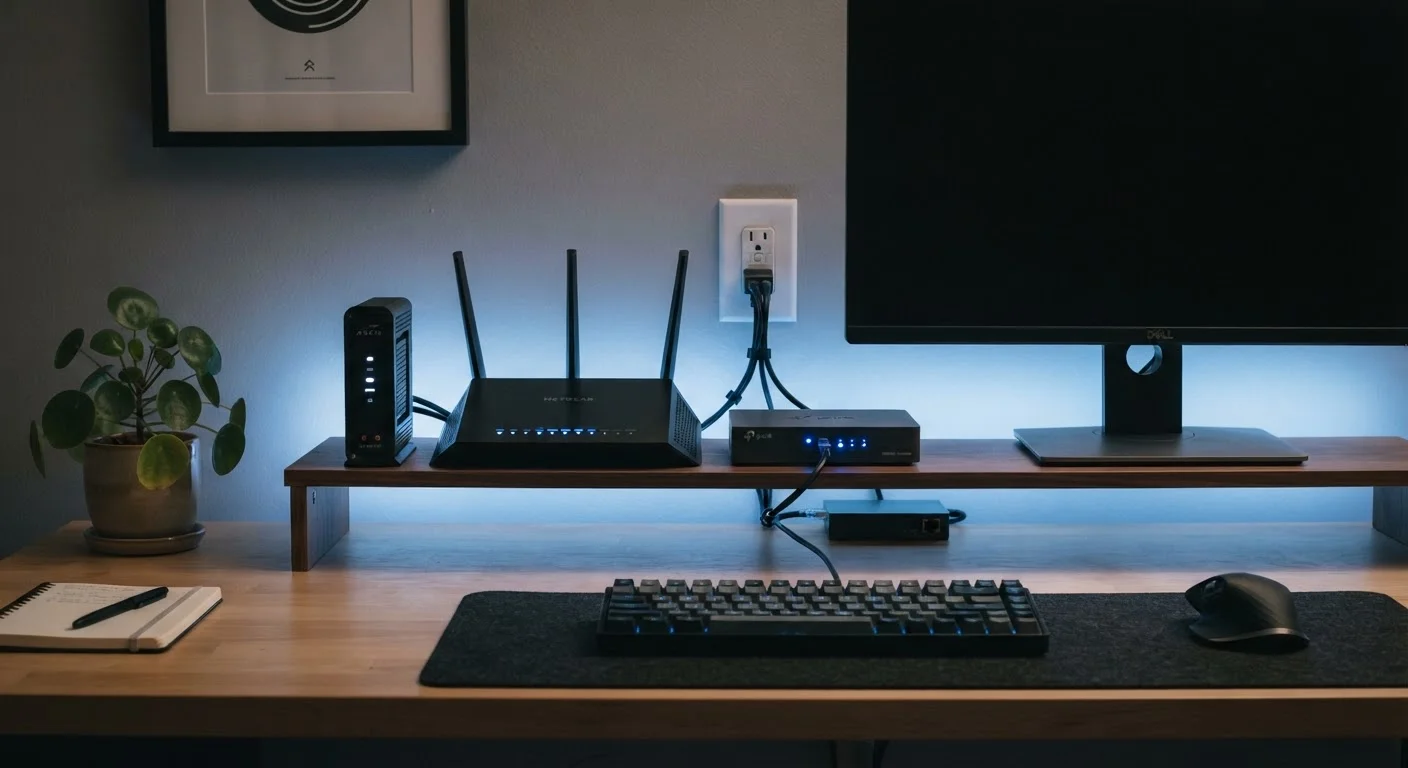
The Modem: Your Home's Connection to the Outside World
Think of the modem as the front door of your home internet setup. It physically connects your house to your ISP's network — whether that arrives via a coaxial cable (common with cable internet), a phone line (DSL), or fiber-optic cable.
The word modem is short for modulator-demodulator. That describes its core job: converting the type of signal your ISP sends into digital data your home devices can actually use, and converting it back again when you send data out.
Without a modem, no device in your home can reach the internet at all — regardless of how good your router is. To understand how the type of connection entering your home affects performance, see our guide on broadband, fiber, cable, and DSL.
~$10–15/mo
Typical ISP modem/gateway rental fee
Many US internet providers charge a monthly equipment rental fee for their supplied modem or gateway, which adds up over time.
2–4 devices
Average ethernet ports on a home router
Most consumer-grade routers include two to four ethernet LAN ports in addition to wireless capability, according to standard device specifications.
The Router: Sharing the Connection With Every Device
Once the modem brings internet into your home, the router takes over. Its job is to distribute that single internet connection to all the devices in your house — phones, laptops, smart TVs, tablets, and anything else that needs to get online.
Routers do this in two ways: wirelessly (Wi-Fi) and through physical ethernet ports on the back of the device. They also assign each device its own local IP address — a unique identifier that lets your router keep track of who's asking for what. For more on how IP addresses work, check out our field guide to IP addresses, DNS, and domain names.
Routers also act as a basic security layer, using a built-in firewall to help block uninvited traffic from reaching your devices.
Quick Troubleshooting Tip
If your internet goes out, start by checking the modem first — look for its status lights and compare them to your ISP's documentation. If the modem looks fine, restart the router next. This two-step process helps you isolate whether the problem is with your ISP's connection or your home network.
The Gateway: One Box to Do It All
A gateway is simply a modem and router built into one device. Many ISPs provide a gateway as their standard rental equipment when you sign up for home internet service.
Gateways are convenient — fewer cables, fewer devices, and one less thing to plug in. But they come with trade-offs. Because they're designed to work broadly across many customers, they often offer fewer customization options and may not perform as well as a dedicated modem paired with a quality standalone router.
If you rent a gateway from your ISP and want to upgrade your Wi-Fi performance, one option is to connect your own router to the gateway. You may need to enable bridge mode on the gateway first — a setting that disables its router functions so the two devices don't conflict. If you're ready to set up or upgrade your home network, our home network setup guide walks you through the process step by step.
Separate Devices vs. a Gateway: Which Setup Makes Sense?
There's no single right answer — it depends on your priorities.
- Gateway (combo unit): Simpler setup, fewer devices, often provided by your ISP. Good for renters or anyone who wants a low-maintenance solution.
- Separate modem + router: More control over your network, potentially better performance, and the freedom to upgrade one device without replacing the other.
One practical consideration: if you own your modem rather than renting one from your ISP, you avoid the monthly equipment rental fee that many providers charge. Over a year or two, that can offset the upfront cost of purchasing a device.
For a deeper comparison of what routers and modems each do independently, our dedicated explainer covers the distinction in more detail. And if you're curious about connecting devices beyond your home Wi-Fi, see when to use Wi-Fi vs. mobile data vs. Bluetooth.
Renting vs. Owning Your Equipment
Whether you can use your own modem depends on your ISP and your connection type. Fiber connections, for example, often require the ISP's own equipment (called an ONT — Optical Network Terminal) because of how the signal is delivered. Always check with your provider before purchasing equipment separately.
Frequently Asked Questions
If you want to connect multiple devices to the internet, yes — you need both functions covered. You can use separate devices or a single gateway that handles both. A modem alone can only serve one device at a time via a direct ethernet connection.
A gateway is a single device that combines a modem and a router into one unit. ISPs often supply gateways as part of their rental equipment. They're convenient but typically offer fewer configuration options than separate devices.
In most cases, yes. You can connect your own router to the modem or gateway your ISP provides. Some ISPs may require you to put their gateway in 'bridge mode' first, which effectively disables its router functions and lets your router take over.
Most modern routers broadcast on two frequency bands. The 2.4 GHz band covers a wider range but runs slower; the 5 GHz band is faster but has a shorter range. Connecting devices to the right band for their location can improve performance.
Plug a laptop directly into the modem with an ethernet cable and test your connection. If the internet works, the modem is fine and the issue is likely with the router. If there's still no connection, the problem is with the modem or the ISP's service.
The content on this site is for informational purposes only and is not a substitute for professional advice. Always consult a qualified professional for guidance specific to your situation.