

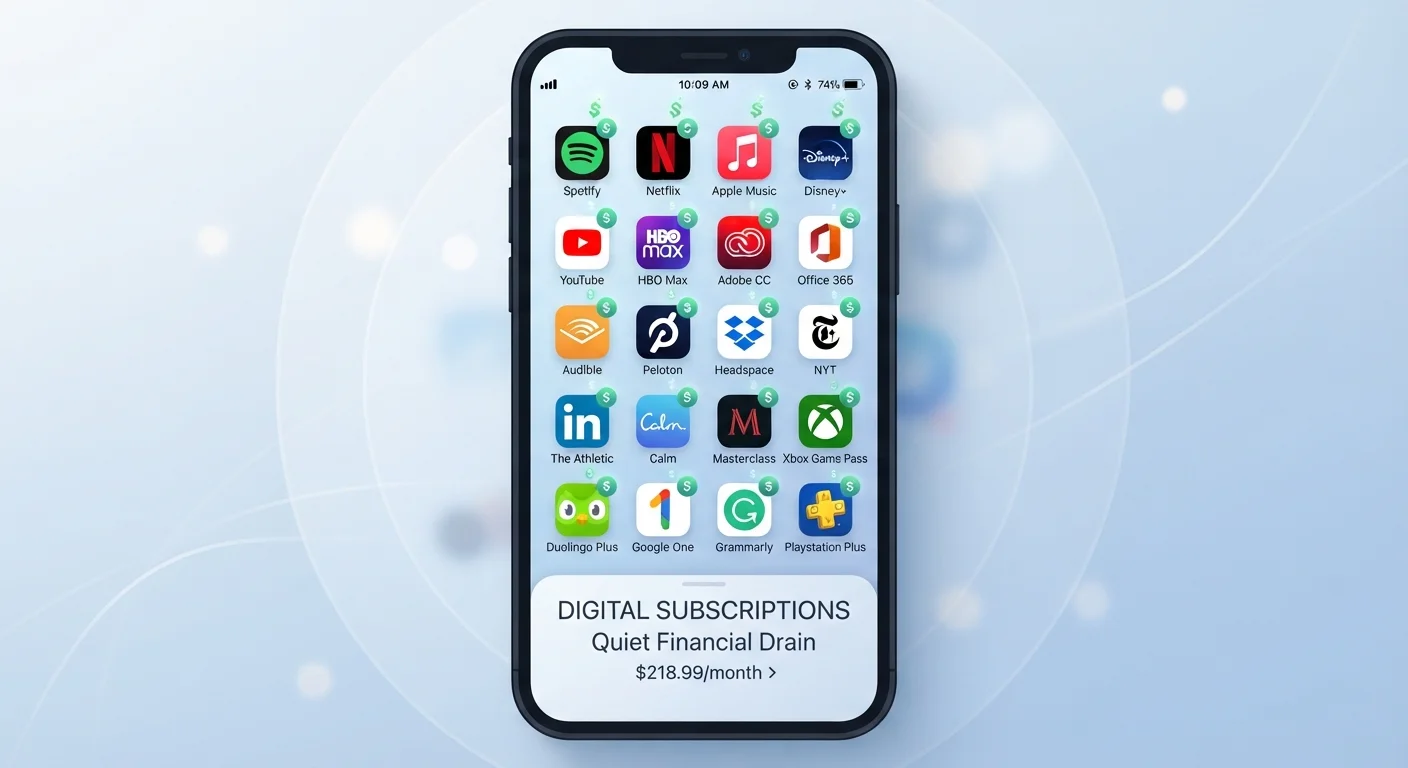
Why Small Charges Add Up Faster Than Expected
A streaming service here, a productivity app there, a meditation tool you downloaded during a stressful week - individually, each subscription sounds reasonable. Collectively, they can drain your budget in ways that are easy to miss until you sit down and actually count them.
The design of subscription billing works against casual oversight. Charges recur automatically, often on different dates, and they rarely show up in your bank or credit card statement under a name you immediately recognize. An app you know as "Calm" might appear as a developer entity name with no obvious connection to the product. That friction makes routine auditing harder than it should be.
This is sometimes called subscription creep - the slow accumulation of recurring charges that, because no single one feels significant, never triggers a conscious decision to cancel. It's closely related to the budget blind spots covered in overlooked budget categories, where small, automatic expenses consistently escape the planning process.
~$219/mo
Average US household digital subscription spending
According to a 2022 survey by C+R Research, US consumers underestimate their monthly subscription spending by nearly 2.5x on average, with actual average spend reaching roughly $219 per month per household.
2.5x
How much consumers underestimate subscription costs
The same C+R Research survey found respondents guessed their monthly subscription total was significantly lower than it actually turned out to be when all services were counted.
4 in 10
Subscribers paying for unused services
Various consumer surveys consistently find that a substantial portion of subscribers - roughly 40% - report paying for at least one service they no longer actively use.
The Free Trial Trap and Auto-Renewal Problem
One of the most common entry points for forgotten subscriptions is the free trial. Apps frequently offer seven-, fourteen-, or thirty-day trials that require a credit card upfront and automatically convert to a paid plan the moment the trial expires. If you've ever signed up for something "just to try it" and then forgotten about it, there's a real chance you're still being charged.
Annual subscriptions compound this problem. A $60-per-year charge is easy to forget about by the time renewal comes around twelve months later. You may have stopped using the app entirely, but the charge still processes - and by the time you notice it on a statement, weeks may have passed.
Set a Calendar Reminder Before Every Trial Ends
When you sign up for a free trial, immediately add a calendar reminder for one or two days before the trial expires. This gives you enough time to cancel if you've decided the app isn't worth the full price - before the charge processes. Most app stores also send an email reminder, but a personal calendar alert is a reliable backup.
It's also worth noting that if these charges land on a credit card you don't pay in full each month, the cost grows further. Understanding carrying a balance versus paying in full is relevant context here - interest can quietly multiply what seemed like a small recurring fee.
How to Actually Track What You're Paying For
The most efficient starting point is your app store's subscription dashboard. On an iPhone, go to Settings > > Subscriptions to see every active and recently expired subscription billed through Apple. On Android, open the Google Play Store, tap your profile icon, and navigate to Payments & subscriptions. Both tools show you renewal dates and pricing at a glance.
Not all subscriptions route through app stores, though. Many apps - especially desktop software or services you signed up for on a website - bill your card directly. For these, the most reliable method is searching your email inbox for keywords like "receipt," "invoice," or "subscription renewed" and cross-referencing those against your most recent bank or credit card statement.
Once you have a full list, categorize each item by whether you've used it in the past thirty days. Services you haven't touched in a month are strong candidates for cancellation. And remember: deleting an app doesn't delete your account or cancel your subscription - you must cancel explicitly through the appropriate channel.
Deciding What's Actually Worth Keeping
Not every subscription is wasted money. The goal of an audit isn't to cancel everything - it's to make deliberate, informed choices about what you're paying for. A tool you use daily and that genuinely improves your workflow or enjoyment has real value. One you subscribed to six months ago and opened twice does not.
A useful framework: for each subscription, ask whether you would actively choose to sign up for it today, at today's price, knowing what you know about how much you use it. If the answer is no, that's a clear signal to cancel.
For apps where you're unsure whether the paid version is worth the cost, see free vs. paid app tiers - a breakdown of what premium upgrades typically include and how to evaluate them honestly.
Building subscription awareness into your regular budgeting basics process is the most sustainable long-term approach. Treat your subscription list as a living document - something you revisit quarterly rather than something you set once and forget.
This article is for general informational purposes only and does not constitute financial advice. For guidance specific to your situation, consider consulting a qualified financial professional.
Frequently Asked Questions
On iPhone, go to Settings > [your name] > Subscriptions to see all active App Store subscriptions. On Android, open the Google Play Store, tap your profile icon, and select Payments & subscriptions. For subscriptions billed directly through a website rather than an app store, check your email for billing confirmation receipts.
No - deleting an app from your device does not cancel any active subscription tied to it. You must cancel explicitly through the App Store, Google Play, or the app's own account settings. Charges will continue even after the app is removed from your screen.
Research and surveys suggest the average US household spends considerably more on digital subscriptions than members realize, often estimating half or less of the actual total. Exact figures vary by household, but the gap between perceived and actual spending is consistently wide.
Most free trials automatically convert to a paid plan when the trial period expires, using the payment method you provided at sign-up. You will typically receive an email notice beforehand, but charges begin without any additional approval if you don't cancel in time.
Refund policies vary by platform and developer. Apple's App Store and Google Play each have their own refund request processes, and individual outcomes are not guaranteed. It's worth requesting a refund promptly after noticing an unwanted charge, but success depends on the platform's current policy.
A quarterly review is a reasonable starting point for most people. Set a recurring reminder to check your App Store or Google Play subscription list, your bank and credit card statements, and any email confirmations from billing cycles. Annual plan renewals are especially easy to forget.
The content on this site is for informational purposes only and is not a substitute for professional advice. Always consult a qualified professional for guidance specific to your situation.