

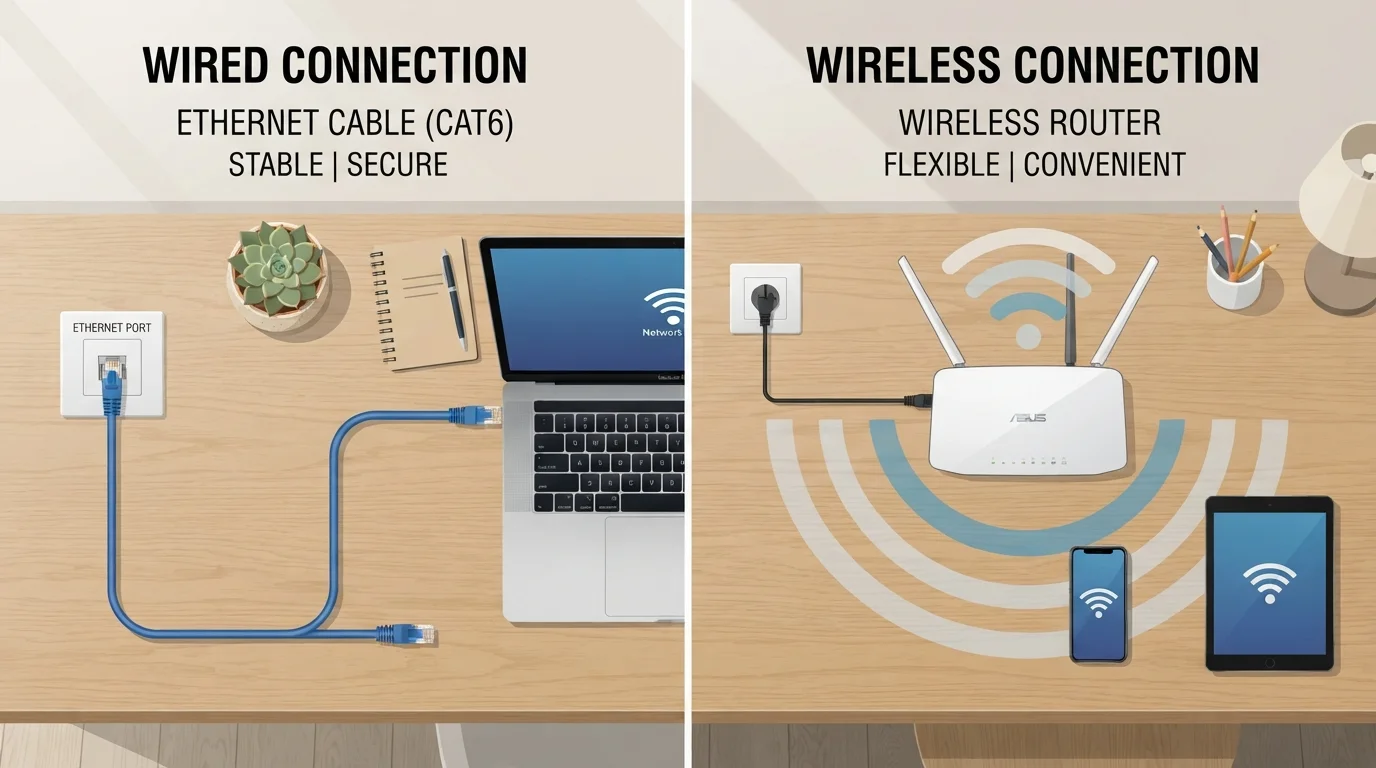
Option A
Wi-Fi
The flexible, go-anywhere wireless standard.
Best for: Households that need internet access across multiple rooms and devices without running cables.
Option B
Ethernet
The stable, high-performance wired connection.
Best for: Desks, gaming setups, home offices, and any device that stays in one place and demands reliable speed.
How Each Connection Type Works
Wi-Fi transmits data between your devices and your router using radio waves — the same basic principle as a walkie-talkie, but far more sophisticated. Your router broadcasts a wireless signal, and any compatible device within range can connect to it without a physical cable. Modern Wi-Fi standards (you may see labels like Wi-Fi 5 or Wi-Fi 6) determine how fast and how efficiently that signal is shared among connected devices.
Ethernet, by contrast, sends data through a physical cable — typically a Cat5e or Cat6 cable — that runs directly from your router or network switch to your device. Because the signal travels through a dedicated wire rather than through the air, it's not affected by walls, appliances, or neighboring networks.
Understanding the type of internet service coming into your home is a separate but related question. If you're curious about how fiber, cable, or DSL affects overall performance, see our guide to broadband connection types.
| Criterion | Wi-Fi | Ethernet |
|---|---|---|
| Speed consistency | Varies by distance and interference | Consistently close to plan speed |
| Latency | Higher, can fluctuate | Lower, stable |
| Setup complexity | Minimal — router only | Requires cable runs per device |
| Device mobility | Full freedom to move | Device must stay tethered |
| Interference risk | High in crowded areas | None |
| Security | Requires strong password/encryption | Inherently more contained |
| Best for | Mobile devices, casual browsing | Gaming, home offices, streaming |
Speed, Latency, and Reliability: What the Numbers Mean
Raw speed matters, but so does latency — the tiny delay between sending a request and receiving a response. For most everyday browsing and streaming, both Wi-Fi and Ethernet feel virtually identical. Where the gap becomes noticeable is in activities that are sensitive to consistency: video conferencing, online gaming, or large file uploads.
Wi-Fi performance varies based on distance from the router, physical obstructions (walls, floors, furniture), and interference from other wireless devices or neighboring networks. You might get excellent speeds sitting next to your router but noticeably slower speeds two rooms away.
Ethernet is not affected by these variables. Because it uses a dedicated physical path, the speed you get is close to what your internet plan actually delivers, and latency stays low regardless of how many people are on the Wi-Fi simultaneously.
~1–5 ms
Typical Ethernet latency
Wired connections commonly achieve latency in the 1–5 millisecond range, compared to 10–50 ms or more for Wi-Fi depending on conditions.
~30%
Typical Wi-Fi speed loss through walls
Signal strength can drop significantly with each wall or floor between the device and the router, affecting real-world throughput noticeably.
65+
Average devices per US household network
Modern homes connect a growing range of smart devices, making network congestion management increasingly important for Wi-Fi performance.
Practical Considerations: Setup, Cost, and Flexibility
Wi-Fi requires no installation beyond plugging in a router. Every modern smartphone, laptop, tablet, and smart home device supports it — which makes it the default choice for most households. The trade-off is that performance can be unpredictable, especially in dense apartment buildings where dozens of nearby networks compete on the same frequencies.
Ethernet requires a cable run between your router and each device. In a small apartment, that might mean a single cable across a desk. In a larger home, it could involve routing cables through walls or along baseboards — a more involved project, though not necessarily an expensive one. Ethernet cables and the adapters needed for laptops without ports are relatively low-cost.
For a practical walkthrough on setting up either type of connection at home, our home network setup guide covers the process step by step.
It's also worth knowing that the choice isn't all-or-nothing. Most routers support both simultaneously. You can wire a desktop PC or smart TV directly via Ethernet and leave Wi-Fi available for phones and tablets. For more on juggling different connection types day to day, see when to use Wi-Fi versus mobile data.
Public Wi-Fi Is a Different Situation
The Wi-Fi in this comparison refers to your private home network. Public Wi-Fi — at coffee shops, airports, or hotels — carries different considerations around security and privacy. If you use open networks outside the home, it's worth understanding the risks involved. Our guide to public Wi-Fi safety explains what to be aware of.
The content on this site is for informational purposes only and is not a substitute for professional advice. Always consult a qualified professional for guidance specific to your situation.