

Our Verdict
Wired keyboards and mice remain the reliable, zero-maintenance choice for users who prioritize consistency and don't want to think about batteries. Wireless options have matured significantly and handle everyday typing, browsing, and office work without meaningful drawbacks — the main considerations are battery management and occasional interference. Neither is universally better; the right choice depends on your workspace, habits, and how you use your computer.
Wireless is ideal for most home and office users who value a cleaner desk and flexible positioning, while wired suits anyone who needs zero-latency input or simply dislikes managing battery life.
What's Actually Different Between Wired and Wireless?
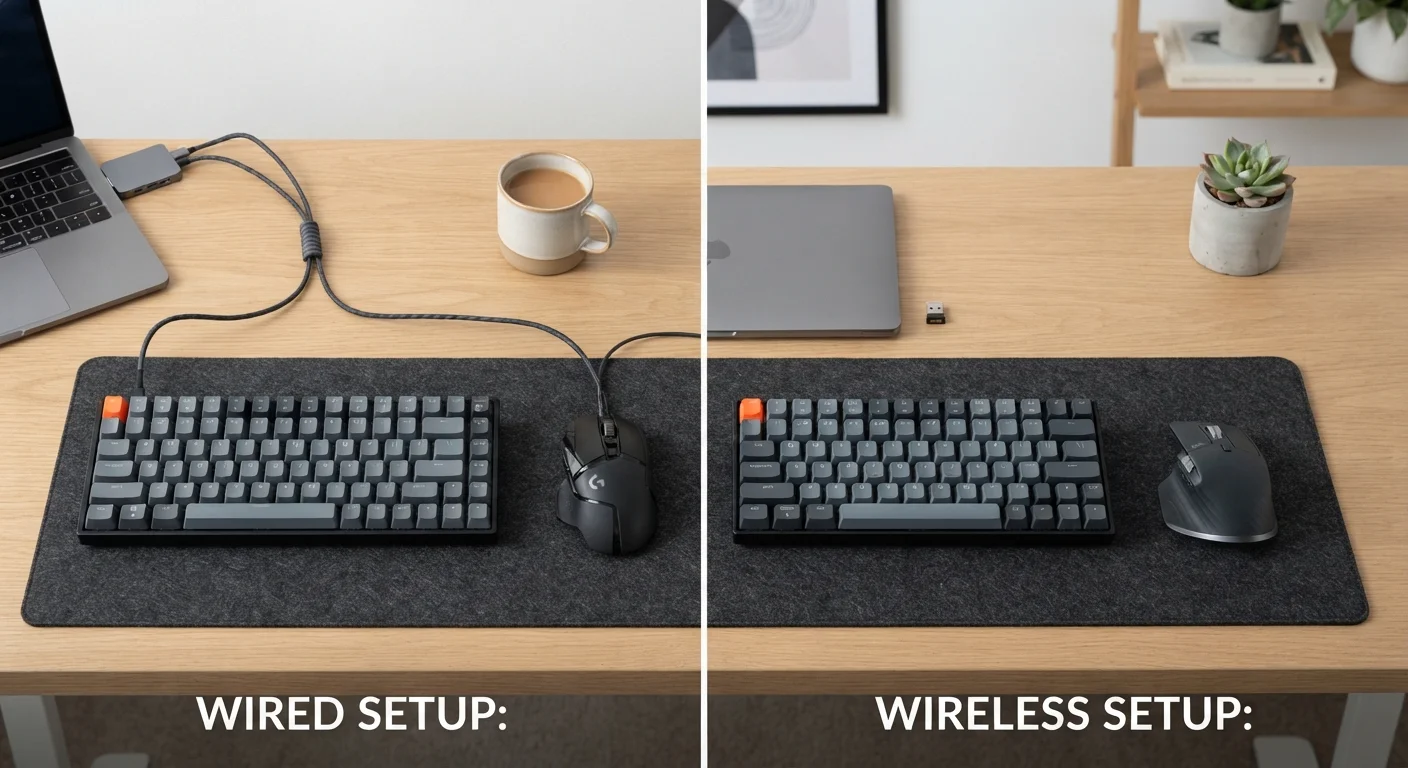
The core difference comes down to how data travels from your keyboard or mouse to your computer. A wired peripheral sends input through a USB cable, creating a direct, continuous connection. A wireless peripheral transmits that same input through radio signals — either via a small USB receiver (sometimes called a dongle) or through Bluetooth, the short-range wireless standard built into most modern computers.
Both methods are fast enough that the average user will never notice a difference during typing or basic computer use. Where the distinction becomes meaningful is in specific edge cases: heavy gaming, unstable wireless environments, or very long work sessions where battery anxiety becomes a factor.
For a broader look at how Bluetooth and other wireless technologies work, see our guide to Bluetooth, Wi-Fi, and mobile data.
No batteries or charging required
Wired devices draw power directly from the USB port, meaning they're always ready to use. You'll never be caught with a dead mouse in the middle of an important task.
Consistent, interference-free connection
A physical cable creates a direct link with no signal drop risk, regardless of how many wireless devices are nearby. This makes wired peripherals especially reliable in dense office environments.
Generally lower cost for comparable quality
Wireless technology adds to manufacturing cost, so wired keyboards and mice at a given price point often include higher-quality internal components like better switches or sensors.
No setup or pairing needed
Plug a wired peripheral into any compatible USB port and it works immediately — no Bluetooth pairing steps, no dongle management.
Wireless offers a cleaner, cable-free desk
Eliminating cables reduces desk clutter and makes it easier to rearrange your workspace. A tidy setup can meaningfully improve focus and reduce stress in a home office.
Greater flexibility in positioning
Without a cable tethering your mouse or keyboard, you can position them at whatever angle or distance feels most comfortable, including using them from a couch or across a larger desk.
Easier to use with multiple devices
Many wireless keyboards and mice support quick switching between two or three paired devices, making them practical for anyone who works across a laptop and a desktop.
The Real Drawbacks Worth Knowing
Wireless peripherals have improved dramatically, but they're not without trade-offs. Battery management is the most consistent complaint — forgetting to charge a mouse mid-presentation is genuinely disruptive. Most wireless mice and keyboards use either rechargeable batteries (charged via USB cable) or replaceable AA/AAA batteries. Battery life ranges widely, from a few days to several months, depending on the device and how heavily it's used.
Wireless signals can also be affected by interference. Offices or homes with many competing wireless devices — cordless phones, other Bluetooth gadgets, or crowded Wi-Fi networks — may occasionally see input lag or dropped signals. This is rare with quality hardware, but worth knowing if your workspace is already wireless-heavy. For tips on managing a busy wireless environment at home, setting up your home network properly can reduce congestion overall.
Batteries require regular management
Wireless peripherals will eventually run out of power, whether that's after a week or several months. Forgetting to charge or replace batteries at an inconvenient moment is the most common complaint from wireless users.
Potential for wireless signal interference
Other wireless devices operating on the same frequency band can occasionally cause input lag or dropped signals. This is uncommon with modern hardware but is more likely in crowded wireless environments.
Higher upfront cost for wireless quality
A wireless peripheral with reliable low-latency performance typically costs more than its wired equivalent. Budget-end wireless options can be noticeably less responsive.
USB dongle can be lost or broken
Many wireless peripherals that use a USB receiver won't work without their specific dongle — and replacing it is not always straightforward. Bluetooth-only models avoid this problem.
Which Setup Fits Your Situation?
The decision often comes down to three practical factors: your desk setup, your use case, and your tolerance for maintenance.
Bluetooth vs. USB Dongle: A Quick Distinction
Wireless peripherals come in two main flavors. Bluetooth devices connect directly to your computer's built-in Bluetooth receiver — no extra hardware needed. USB dongle (RF) devices use a small receiver that plugs into a USB port and communicates on the 2.4GHz frequency. Dongle-based connections are generally considered slightly more stable and consistent than Bluetooth, while Bluetooth is more convenient for switching between devices without extra hardware.
Home office users typically benefit from wireless — the freedom to reposition your keyboard or mouse without re-routing cables makes a real difference in comfort, especially on smaller desks. Office workers who hot-desk or move between workstations also find wireless simpler, since there's nothing to plug in and unplug repeatedly.
Gamers or professionals who rely on rapid, precise input — think competitive gaming, audio production, or any task where milliseconds matter — may still prefer wired. The latency difference is small (often under 1 millisecond), but it is measurable, and some users are sensitive to it.
One more consideration: if your computer is physically far from where you sit, wireless is often the only practical option. Running a USB cable across a room is messy and creates a trip hazard. This is similar to the reasoning behind choosing Wi-Fi over a physical Ethernet cable for devices that can't easily be cabled — a trade-off explored in our Wi-Fi vs. Ethernet comparison.
~1ms
Typical wired vs. wireless latency difference
Modern wireless peripherals from major manufacturers commonly achieve input latency within 1 millisecond of wired equivalents, making the gap imperceptible for most users.
6–24 months
Battery life range for wireless mice
Battery longevity varies widely by device design and usage intensity; mice with energy-efficient sensors and sleep modes tend to last significantly longer between charges.
The content on this site is for informational purposes only and is not a substitute for professional advice. Always consult a qualified professional for guidance specific to your situation.