

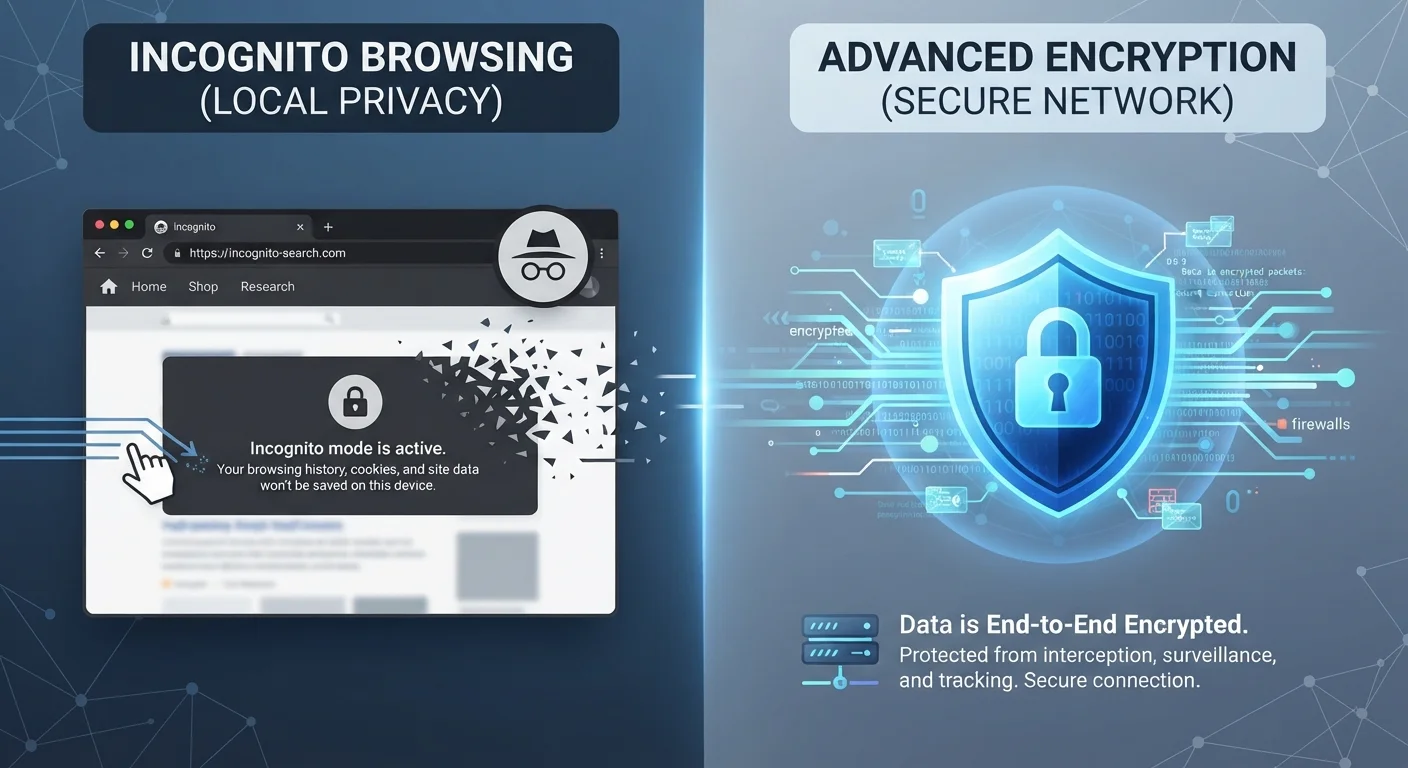
Option A
VPN (Virtual Private Network)
The network-level privacy tool that hides your traffic from the outside world.
Best for: Anyone who wants to prevent their internet provider, employer, or network operator from seeing what sites they visit.
Option B
Incognito Mode
The on-device session tool that keeps browsing history off your local device.
Best for: Anyone who shares a device and wants to keep their browsing session from appearing in local history or autofill.
What Incognito Mode Actually Does
When you open an incognito or private browsing window, your browser makes one specific promise: it won't save a record of that session on your device. That means no browsing history, no cookies carried over from regular tabs, no autofill data, and no cached files - once you close the window, the session disappears locally.
That's genuinely useful in certain situations. Signing into a second account without logging out of the first, checking a travel price without cookie-based price tracking from earlier searches, or keeping a surprise gift search off a shared family computer are all real, legitimate use cases.
What incognito mode does not do is hide your activity from anyone outside your device. Your internet service provider (ISP) can still see every domain you visit. If you're on a workplace or school network, the network administrator has the same visibility. Websites you visit still see your IP address and can track your session while it's active. For a deeper look at where this misunderstanding comes from, see the myths people believe about incognito mode.
What a VPN Actually Does
A VPN - Virtual Private Network - works at the network level rather than the browser level. When you connect to a VPN, your device routes all its internet traffic through an encrypted tunnel to a server operated by the VPN provider. Two things happen as a result: your traffic is encrypted in transit, and websites you visit see the VPN server's IP address instead of yours.
This means your ISP can see that you're connected to a VPN, but cannot read the contents of your traffic or identify which sites you're visiting. The same applies to anyone monitoring a public Wi-Fi network, such as at a coffee shop or airport.
The important caveat: a VPN shifts trust rather than eliminating it. Instead of trusting your ISP with your traffic, you're trusting your VPN provider - so the provider's own privacy practices and logging policies matter. VPNs also don't prevent websites from identifying you through login sessions, browser fingerprinting, or tracking pixels once you're on their page.
| Criterion | VPN | Incognito Mode |
|---|---|---|
| Hides browsing from ISP | Yes - traffic is encrypted | No - ISP still sees traffic |
| Hides browsing from local device | No - history still saved locally | Yes - session not saved |
| Masks your IP address | Yes - shows VPN server IP | No - your IP remains visible |
| Protects on public Wi-Fi | Yes - encrypts all traffic | No - network can still see traffic |
| Prevents website tracking | Partial - masks IP, not logins | Partial - clears cookies after session |
| Works across all apps | Yes - device-wide coverage | No - browser only |
| Setup required | Yes - app or configuration needed | No - built into all browsers |
If you're new to the broader concepts behind online privacy, Digital Privacy From Scratch is a useful foundation before layering in tools like VPNs.
Using Both Together - and Knowing Their Limits
Incognito mode and VPNs solve different problems, which means they're complementary rather than competing. Running a browser in incognito mode inside an active VPN session gives you local session privacy (no history saved on device) plus encrypted network traffic (no visibility for your ISP or network operator). For everyday privacy needs, that combination is meaningfully stronger than either alone.
Still, it's worth being clear-eyed about what neither tool prevents. Logging into any account - Google, Facebook, your bank - immediately ties your activity to that account regardless of VPN or incognito status. Advertisers and platforms use persistent identifiers well beyond simple IP address matching. And no browser or VPN tool protects against phishing attacks, malware, or data breaches at the sites you visit.
VPNs Don't Equal Anonymity
A VPN is a privacy tool, not an anonymity guarantee. VPN providers themselves may log user activity depending on their stated policy, and courts can compel disclosure in some jurisdictions. If you're logged into any online account while using a VPN, that platform still knows who you are. Think of a VPN as reducing exposure, not eliminating your digital footprint entirely.
The practical takeaway: choose the right tool for the right threat. Incognito for device-level session privacy, VPN for network-level traffic privacy, and neither as a substitute for account security practices like strong passwords and two-factor authentication.
The content on this site is for informational purposes only and is not a substitute for professional advice. Always consult a qualified professional for guidance specific to your situation.