

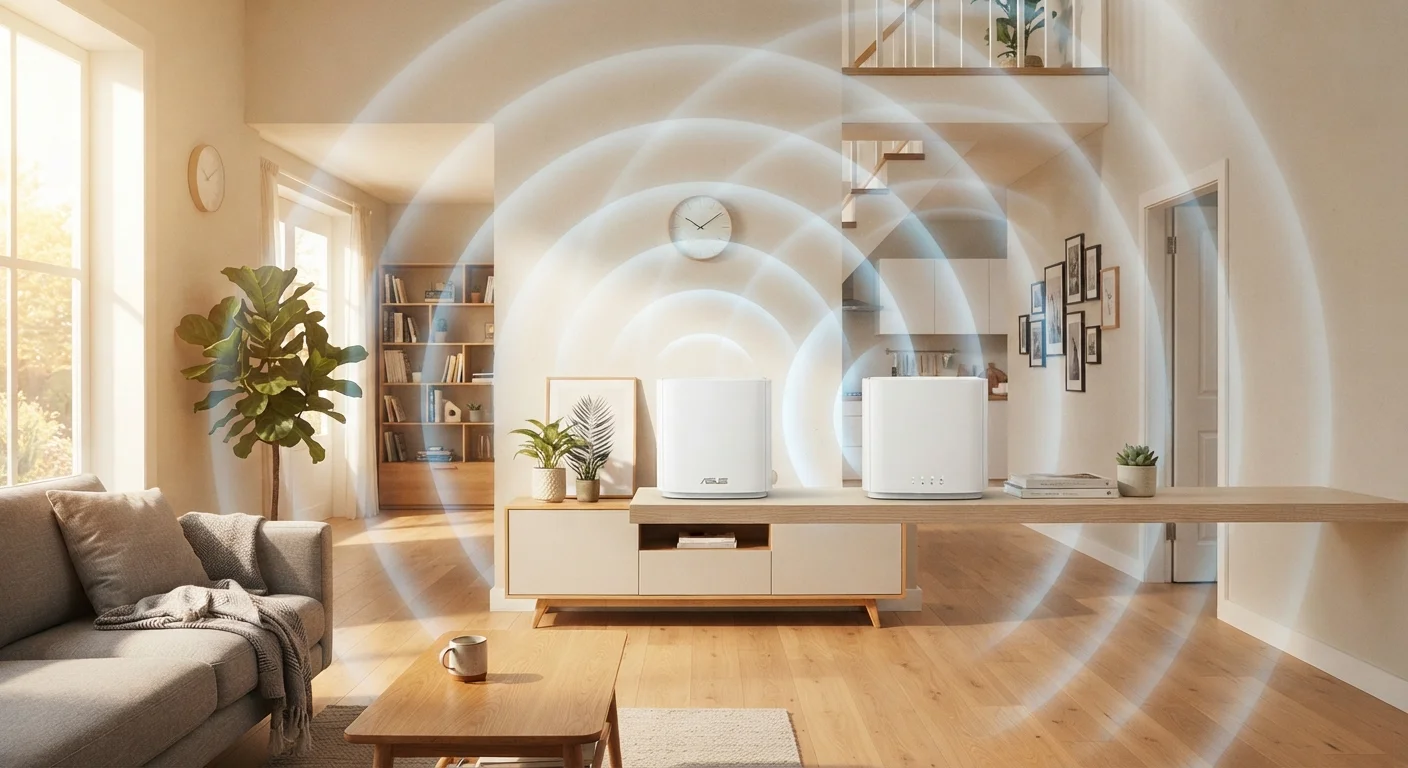
How Wi-Fi Signals Actually Travel
Your router doesn't send internet through wires to each device - it broadcasts radio waves that your phone, laptop, or TV receive wirelessly. Those waves radiate outward in all directions, much like ripples from a stone dropped in water. The further a wave travels, the weaker it gets. Walls, floors, furniture, and even the air itself cause the signal to lose energy.
Different materials absorb or block radio waves at different rates. Drywall has relatively little effect, but concrete, brick, and materials containing metal - like some insulation or older plaster - significantly dampen the signal. A router tucked into a back bedroom must push its signal through every wall between it and the device in the living room, each one reducing the strength that arrives.
Both Bands Use the Same Physical Rules
Whether your router is broadcasting on 2.4 GHz or 5 GHz, the same physical laws apply: signal weakens with distance, and solid materials absorb it. The 5 GHz band is simply more sensitive to both factors, which is why placement matters even more when you're trying to take advantage of faster speeds.
Understanding this physics makes clear why placement isn't a minor detail - it's the foundation of your home network's performance.
Why Central Placement Is the Single Biggest Factor
Because Wi-Fi radiates equally in all directions, placing your router at one end of your home means half the signal broadcasts into the neighbor's yard or the street - wasted entirely. A central position ensures the signal reaches every corner of your living space with the shortest possible path.
Think of your router as a lamp in a dark room. Put it in a corner and one wall gets flooded with light while the rest of the room stays dim. Move it to the center of the ceiling and the light spreads evenly everywhere. The same logic applies to Wi-Fi.
Elevation compounds this benefit. Routers broadcast at a slight downward angle, so mounting the device on a high shelf or wall bracket lets the signal cascade over furniture and open spaces rather than fighting through them from the floor up. If you have a multi-story home, the ideal placement for a single router is often on the main floor rather than the basement, where the signal would have to climb upward through floor joists and subfloor materials.
~30%
Signal loss through a single interior wall
RF engineering references consistently estimate that a standard drywall interior wall can reduce Wi-Fi signal strength by roughly 30%, with concrete or brick walls causing significantly greater attenuation.
2x
Coverage area gained by central placement
Moving a router from a corner to the center of a home can roughly double the usable coverage area, since the signal is no longer wasted broadcasting into exterior walls and outside the building.
5 GHz
Faster band with shorter effective range
The 5 GHz Wi-Fi band can deliver faster data rates than 2.4 GHz but typically has an effective indoor range of around 50 feet or less, depending on obstacles - making router position critical for this band.
Common Placement Mistakes That Hurt Performance
Several habits people don't think twice about consistently degrade Wi-Fi quality:
- Storing the router in a cabinet or closet - Even a wooden door cuts signal strength meaningfully, and enclosed spaces trap heat which can affect the router's performance over time.
- Placing it on the floor - The signal radiates outward and downward; floor placement sends much of it into the ground.
- Positioning it next to a microwave or cordless phone base station - These devices can interfere with the 2.4 GHz band your router uses.
- Putting it beside a large fish tank - Water is surprisingly effective at absorbing Wi-Fi signals.
- Hiding it behind the television or entertainment center - Large electronics and the cables around them create a cluttered radio environment.
Small adjustments - moving the router from a corner shelf to a central one, or out of a media cabinet and onto a bookshelf - can meaningfully extend the reliable coverage area without any equipment changes.
The Role of Frequency Bands in Placement Decisions
Modern routers typically broadcast on two frequency bands simultaneously. The 2.4 GHz band travels further and passes through walls more effectively, making it better suited for devices at the edge of your coverage area. The 5 GHz band moves more data faster but has a shorter range and penetrates solid materials less easily - it's best used by devices close to the router.
When you connect a laptop in the same room as your router, it often automatically selects the 5 GHz band for maximum speed. Move to a distant room and your device may switch to 2.4 GHz to maintain any connection at all. Good placement means neither band is doing more work than it needs to, keeping devices on the faster band wherever possible.
For homes with persistent dead zones despite central placement, a Wi-Fi extender or mesh network system can extend coverage - but those tools work best when the primary router is already well-positioned. Poor placement of the main router just pushes the problem further outward.
If you're also thinking about network safety beyond just signal strength, our article on the risks of public Wi-Fi explains why your home network's security matters even more than you might expect. And when you set up a new device to connect to your newly optimized network, see our guide on securing a new device before first use for steps that protect you from the start.
Frequently Asked Questions
The best location is as central as possible to where you use the internet most, elevated off the floor, and away from thick walls or large metal appliances. An open shelf or countertop in a central hallway or living area often works well. Avoid closets, cabinets, or corners.
Yes. Routers broadcast signals outward and slightly downward, so placing one on a high shelf or mounting it on a wall helps the signal travel more evenly across a floor level. Low placement on the floor wastes much of the signal pushing into the ground.
Microwaves emit radiation in the 2.4 GHz frequency range while operating, which directly overlaps with the 2.4 GHz Wi-Fi band and can cause temporary interference. Large metal appliances like refrigerators also reflect and block radio waves. Keeping your router away from the kitchen reduces this risk.
Signal weakens as it passes through walls, especially those made of concrete, brick, or containing metal framing. Each wall the signal passes through can reduce its strength noticeably. The further a device is from the router, and the more obstacles between them, the slower and less reliable the connection tends to be.
Placing a router directly beside an exterior window isn't ideal because a significant portion of the signal broadcasts outside your home where it isn't useful. Centering the router away from exterior walls keeps more signal coverage inside your living space.
Indirectly, yes. A router placed near an exterior wall or window broadcasts a stronger signal outside your home, making it easier for someone outside to attempt access. Centralizing the router naturally contains more of the signal within your home's walls.
The content on this site is for informational purposes only and is not a substitute for professional advice. Always consult a qualified professional for guidance specific to your situation.